
Cafés and counters
A quick counter register for cafés
Tap an item, take the payment, hand over the receipt. A simple register for cafés, bakeries, and food counters at $19/month after a 14-day free trial. No card to start, no platform cut on payments.
What gets in the way, and what handles it
The line moves at the speed of your till
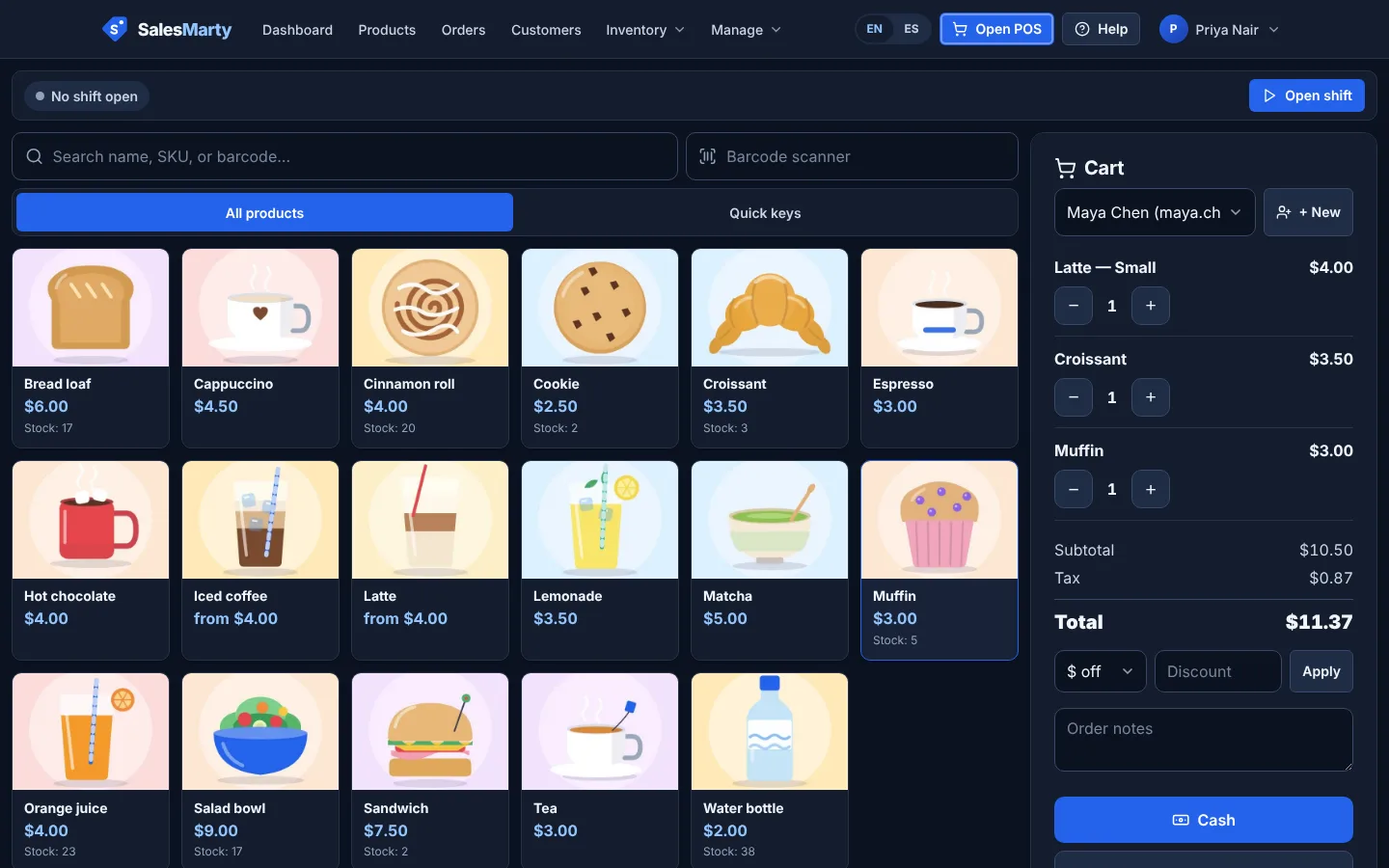
Products show as photo tiles you can tap, with search for anything not on screen. Items without a photo get a clean placeholder, so you can start before you have shot every picture.
In the app: POS terminal with product photo tiles and search
Someone changes their mind mid-order
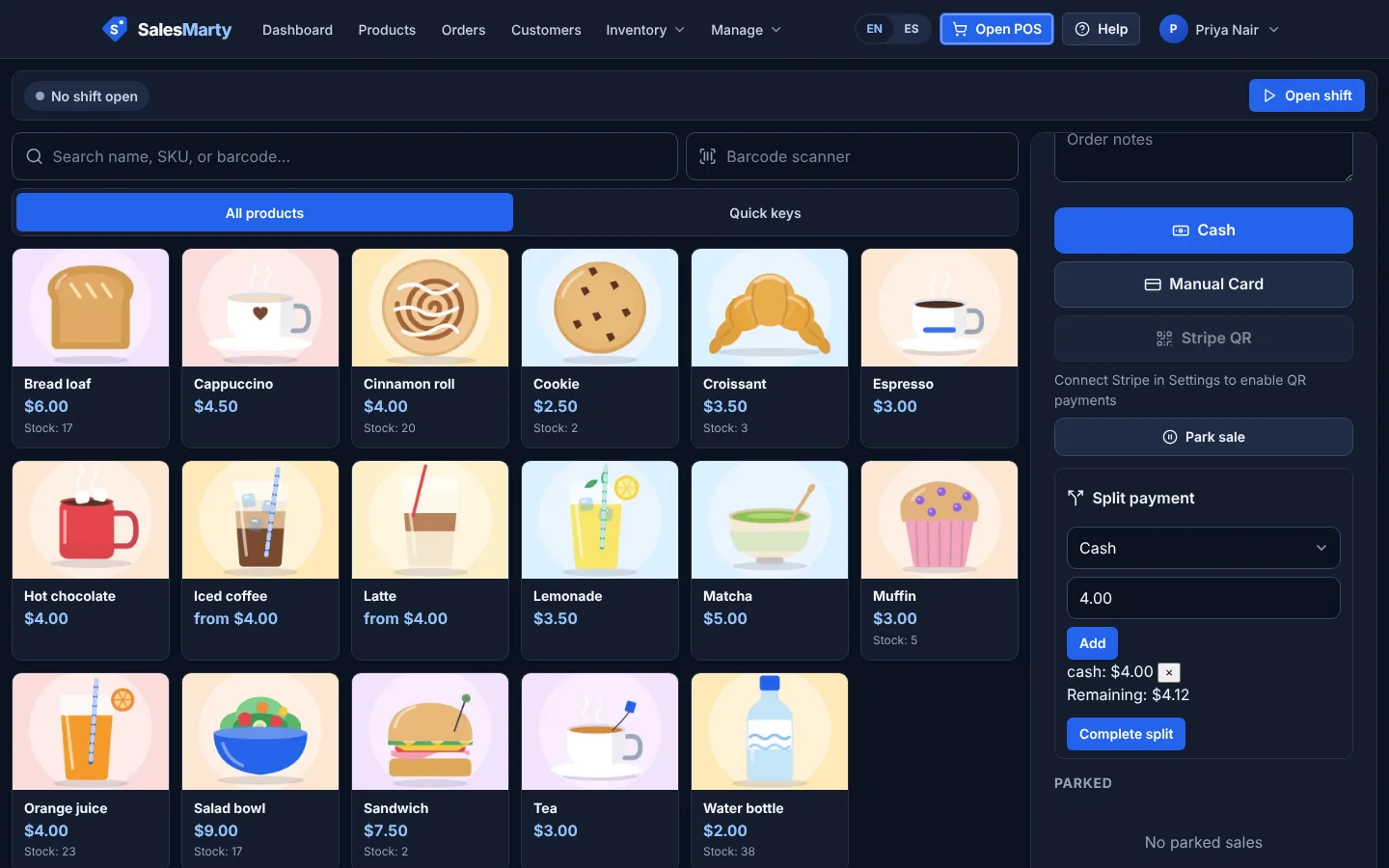
Park the current sale, serve the next person, and bring the parked sale back when they are ready. Add an order note for anything the item name does not cover.
In the app: Parked sales and order notes
One group, more than one way to pay
Split a single sale between cash and card, for example when one person pays cash and another pays on your card terminal. Customers can also pay the whole bill by scanning a Stripe QR code on their own phone. Connecting Stripe is optional, so you can start with cash only.
In the app: Split payments (cash and card), Stripe QR payments
You are not sure what actually sells
Reports show sales by day, top products, and totals by category and payment method. For items you count, like pastries or bottled drinks, stock levels and low-stock badges show what to bake or buy next.
In the app: Sales, top-products, and category reports; low-stock badges
Pricing in brief
$19/month
One plan at $19/month with every feature included. 14-day free trial, no card to start. No platform cut on payments: Stripe QR payments carry Stripe’s standard fees only, and we add nothing to cash or card payments you record. Cancel anytime after the trial.
Start free trialQuestions, answered straight
Can I add modifiers like oat milk or an extra shot?
Not yet. There are no modifiers or add-ons today, such as an extra shot that is added on top of the price. Sizes such as Small and Large can be options on one item, each with its own price. For other choices the workaround is to add each combination as its own item, such as “Latte – oat”, which suits a short menu better than a long one.
Can customers add a tip?
Not yet. There is no tip prompt at checkout, and tips are not tracked as a separate line in reports.
Does it send orders to a kitchen printer or screen?
No. There are no kitchen tickets or kitchen display today. It is built as a counter register: you take the order and payment, and the receipt prints through your browser.
Can I hold an order while I serve someone else?
Yes. Park the sale and the register shows it in a parked list, ready to resume. Parking is not a table layout, so it suits a counter rather than table service.
Can I take cash and cards?
Yes. The register records cash and card payments, and one sale can be split between them. Card payments taken on your own card terminal are recorded as Manual Card. To take payment with no terminal, connect your Stripe account and show a Stripe QR code that the customer pays from their own phone. Stripe’s standard fees apply to those, with nothing extra to us.
Try it on your own products
Not sure yet? Read the FAQ or look at the full feature list.