
Small retail shops
A simple register and stock list for your shop
Scan, sell, and see what is left on the shelf. Runs in the browser on a laptop or tablet you already own, for $19/month after a 14-day free trial. No card to start, no platform cut on payments.
What gets in the way, and what handles it
You find out about empty shelves when a customer asks
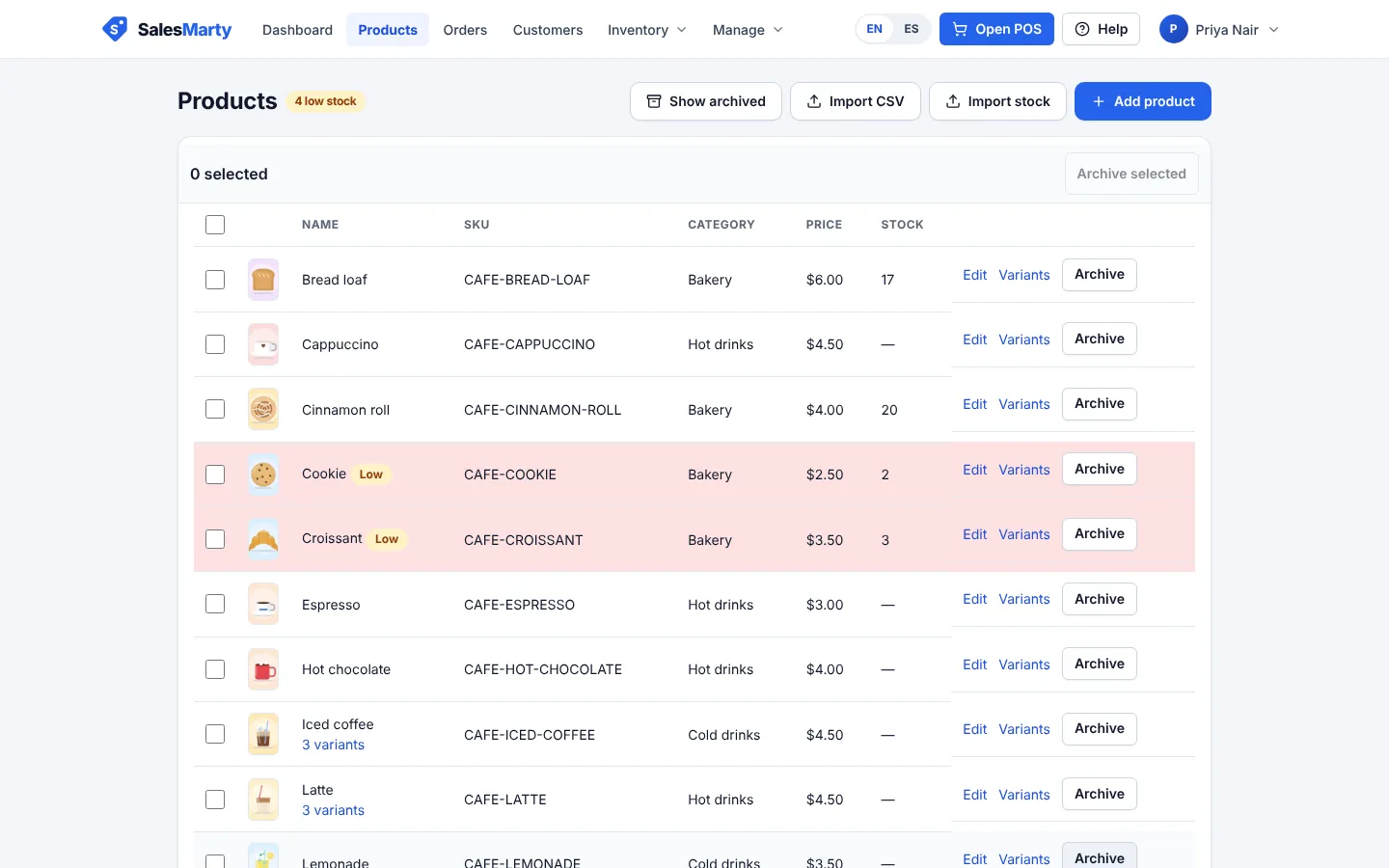
Stock drops as you sell, and products at or below their reorder point are flagged Low in the product list, with a low-stock count in the heading. Turn on email alerts to hear about it before the shelf is empty.
In the app: Inventory with low-stock badges and email alerts
Getting your catalog in takes forever
Upload a CSV with names, SKUs, categories, prices, and opening stock instead of typing every product. Later, correct counts the same way with a stock CSV that adds or removes quantities.
In the app: CSV product import and CSV stock adjustments
Queues build while you hunt for prices
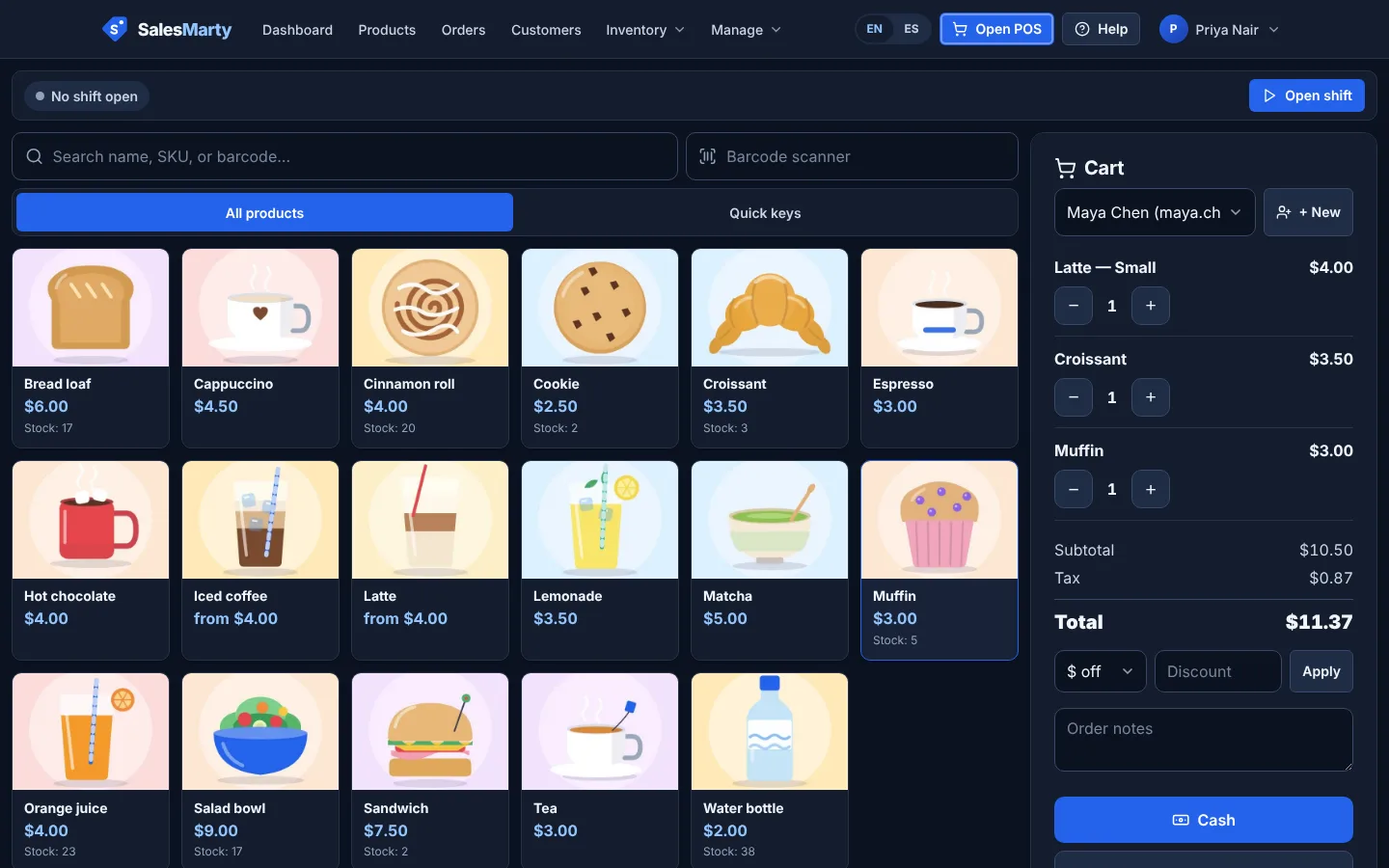
Scan a barcode or type a few letters to add an item. Attach a customer, apply a discount (anything over $5 needs a manager PIN), or park a sale while someone fetches their wallet.
In the app: Barcode and search checkout, parked sales, discounts with manager PIN over $5
Reordering is guesswork, and some stock never sells
Raise a purchase order to a supplier and receive it straight into stock when the delivery arrives. The dead-stock report lists products that have not sold in 90 days, and CSV exports go to QuickBooks, Xero, Wave, or Excel.
In the app: Purchase orders, dead-stock report, accounting CSV exports
Pricing in brief
$19/month
One plan at $19/month with every feature included. 14-day free trial, no card to start. No platform cut on payments: Stripe QR payments carry Stripe’s standard fees only, and we add nothing to cash or card payments you record. Cancel anytime after the trial.
Start free trialQuestions, answered straight
Can I use a barcode scanner?
Yes. Products have a barcode field, and the register has a barcode box (press B to jump there). With the cursor in the barcode box, a scanner that types the code in like a keyboard, as most USB and Bluetooth scanners do, adds the item to the sale.
Can I import the products I already have?
Yes. Upload a CSV from the Products screen. Download the template there to see the columns: name, SKU, price, cost, stock, category, and reorder point, plus an optional barcode. Products with sizes or colors go in as one row per variant, with a parent_sku and the option names and values; the import adds new products and variants and updates existing variants by SKU. You can also export your catalog to CSV, edit it, and import it back.
Does it handle sizes and colors as variants?
Yes. Give a product up to three options, such as size and color, and each combination gets its own SKU, barcode, price and stock count. Scan a variant’s barcode to add it straight to the sale, or tap the product and pick the size and color. Low-stock alerts and purchase orders work per variant, and a CSV import creates a product and all its variants together.
Can I run more than one store location?
Not yet. An account is one business with one stock count. Multiple locations are not part of the product today.
Does it connect to a receipt printer?
Receipts print through your browser, so any printer your device can print to works, and you can set the paper width. There is no direct printer integration yet. You can also save a receipt as a PDF or email it.
Try it on your own products
Not sure yet? Read the FAQ or look at the full feature list.