
Market stalls and pop-ups
A register for your stall that fits in your pocket
Runs in the browser on your phone or tablet, with nothing to install or carry. It needs a data connection while you sell. $19/month after a 14-day free trial, no card to start, no platform cut on payments.
What gets in the way, and what handles it
No counter, no cash register, no spare hands
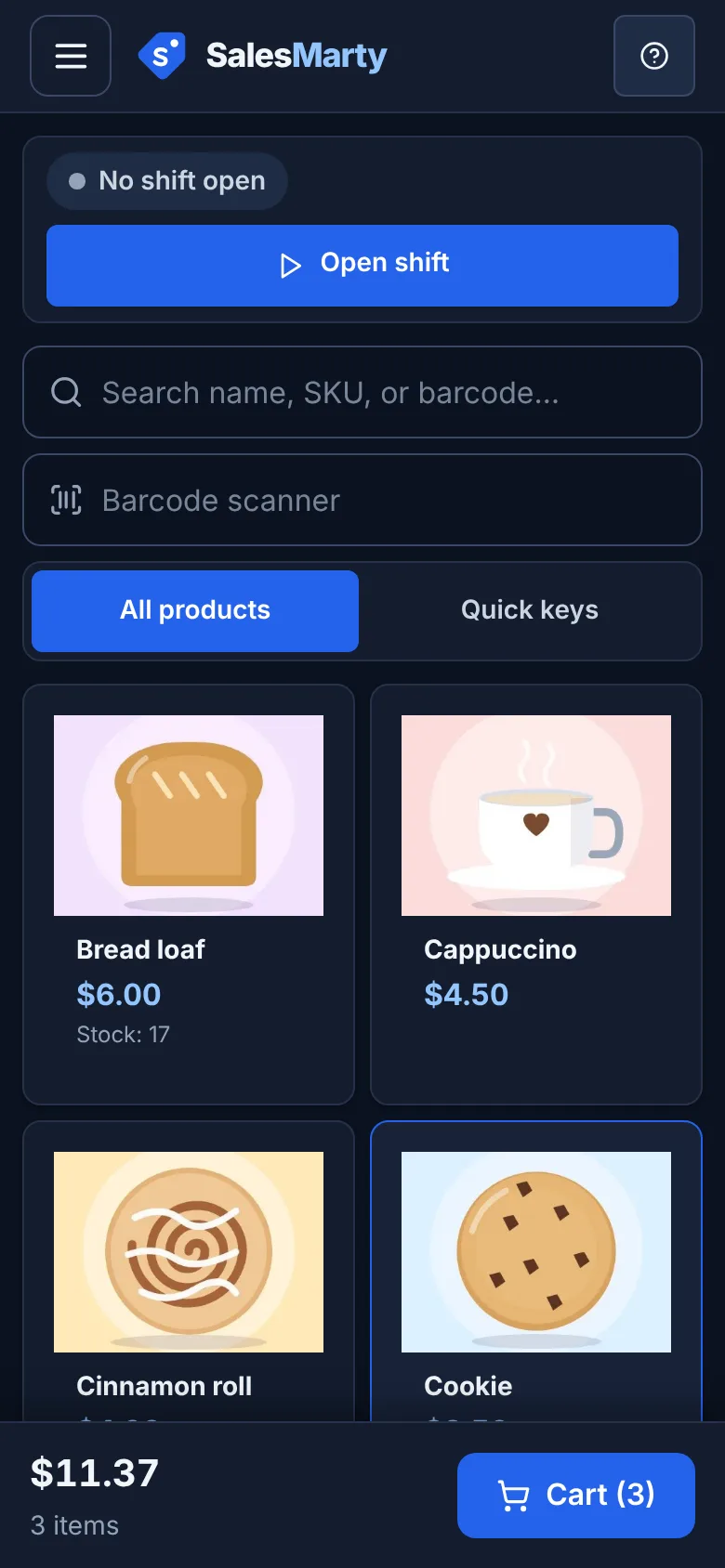
On a phone the register is a two-column grid of product photos with the running total and a Cart button always in reach. Add it to your home screen to open it like an app.
In the app: Browser-based POS with a phone layout
Some customers have cash, some want to pay by phone
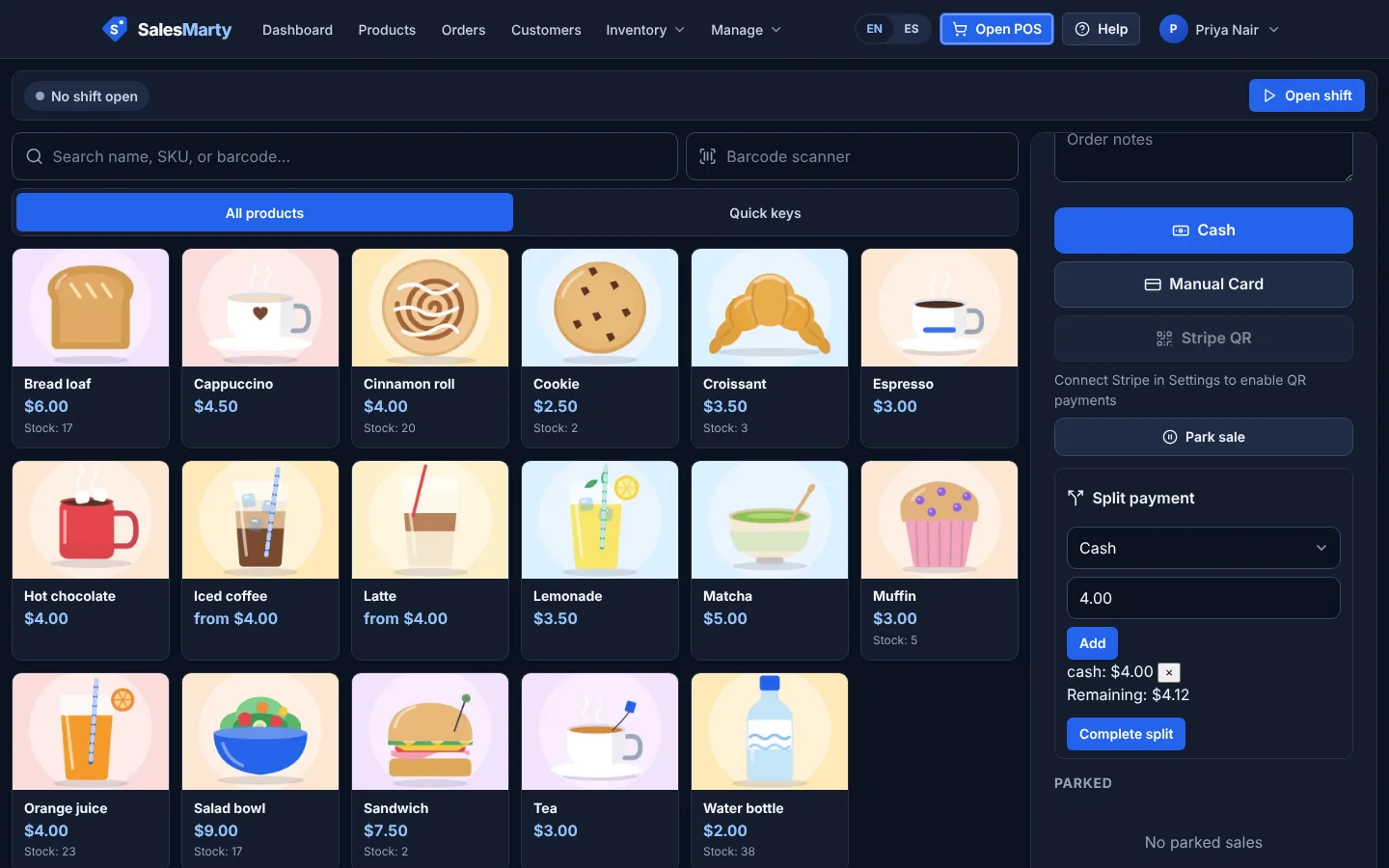
Take cash, or show a Stripe QR code so the customer pays from their own phone. No card reader to buy or carry. QR payments need Stripe Connect set up on your account first.
In the app: Cash and Stripe QR payments
Setting up a catalog before Saturday
Add products with a photo taken from your phone camera, or import a CSV if you already keep a list. Products without a photo still work with a placeholder tile.
In the app: Product photos from camera or upload, CSV import
Knowing what to bring to the next event
Stock counts drop as you sell, low-stock badges flag what is running out, and reports show sales by day and your top products, so you can pack for next time with numbers rather than memory.
In the app: Stock levels, low-stock badges, sales and top-product reports
Pricing in brief
$19/month
One plan at $19/month with every feature included. 14-day free trial, no card to start. No platform cut on payments: Stripe QR payments carry Stripe’s standard fees only, and we add nothing to cash or card payments you record. Cancel anytime after the trial.
Start free trialQuestions, answered straight
Does it work offline?
No. It needs an internet connection, from Wi-Fi or mobile data, while you sell. Offline selling is not available yet, so check your signal at the spot before the day, or bring a hotspot.
Do I need a card reader?
There is no card reader support. Customers can pay by Stripe QR code from their own phone once you connect Stripe, and cash is recorded in the register. Stripe’s standard fees apply to QR payments, with no extra cut from us.
Can a helper work the stall with me?
Yes. Owners can add staff accounts. A cashier gets the register without the back-office screens, and discounts over $5 need a manager PIN.
Can I give customers a receipt?
Yes. Email the receipt to the customer, or save it as a PDF. Printing goes through your browser to any printer your device can use; there is no direct integration with portable receipt printers yet.
I only sell a few months of the year. Can I stop paying?
The plan is billed monthly with no contract, and you can cancel anytime after the trial. There is no annual plan today.
Try it on your own products
Not sure yet? Read the FAQ or look at the full feature list.